 Context Port by Nyoar
Step 01
Chat like you always do
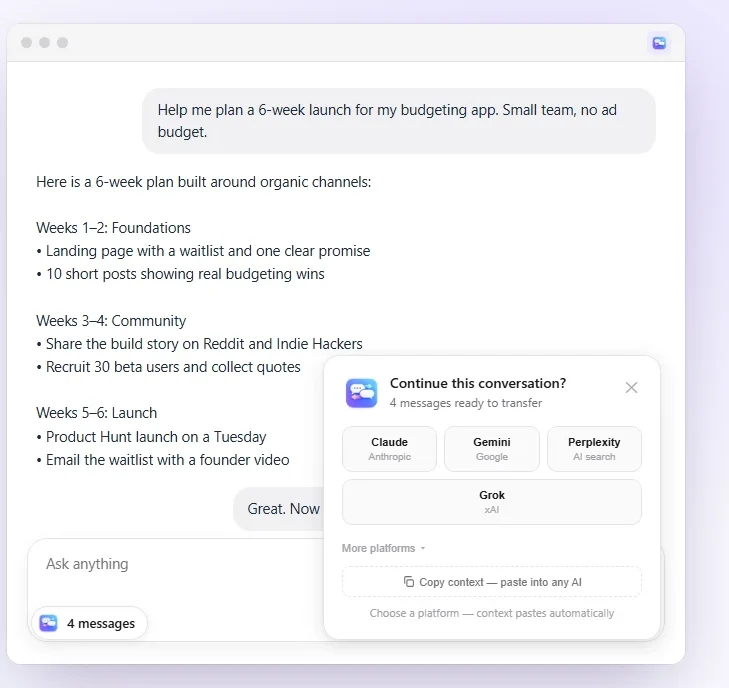
Use ChatGPT, Claude, Gemini or any supported AI chatbot as normal. A small pill sits out of the way, with a live token counter.
🔁Free ChatGPT Chrome extension · works with Claude & Gemini
AI Context Port moves your conversation from ChatGPT to Claude, Gemini, Grok and more in one click. No copy-pasting, no re-explaining, no starting over. Your context, and your AI memory, come with you.
Free planNo accountYour chats never leave your browser
"You've reached your limit."
You're 40 messages deep, the code finally works, the idea is finally clicking, and then it happens: ChatGPT limit reached, Claude usage limit hit, or a Gemini limit. Instead of retyping the same backstory in a new AI chat, AI Context Port carries the whole conversation across for you.
Or Claude to Gemini, Gemini to Grok, or any other mix. AI Context Port runs quietly in the background until you need it.
Use ChatGPT, Claude, Gemini or any supported AI chatbot as normal. A small pill sits out of the way, with a live token counter.
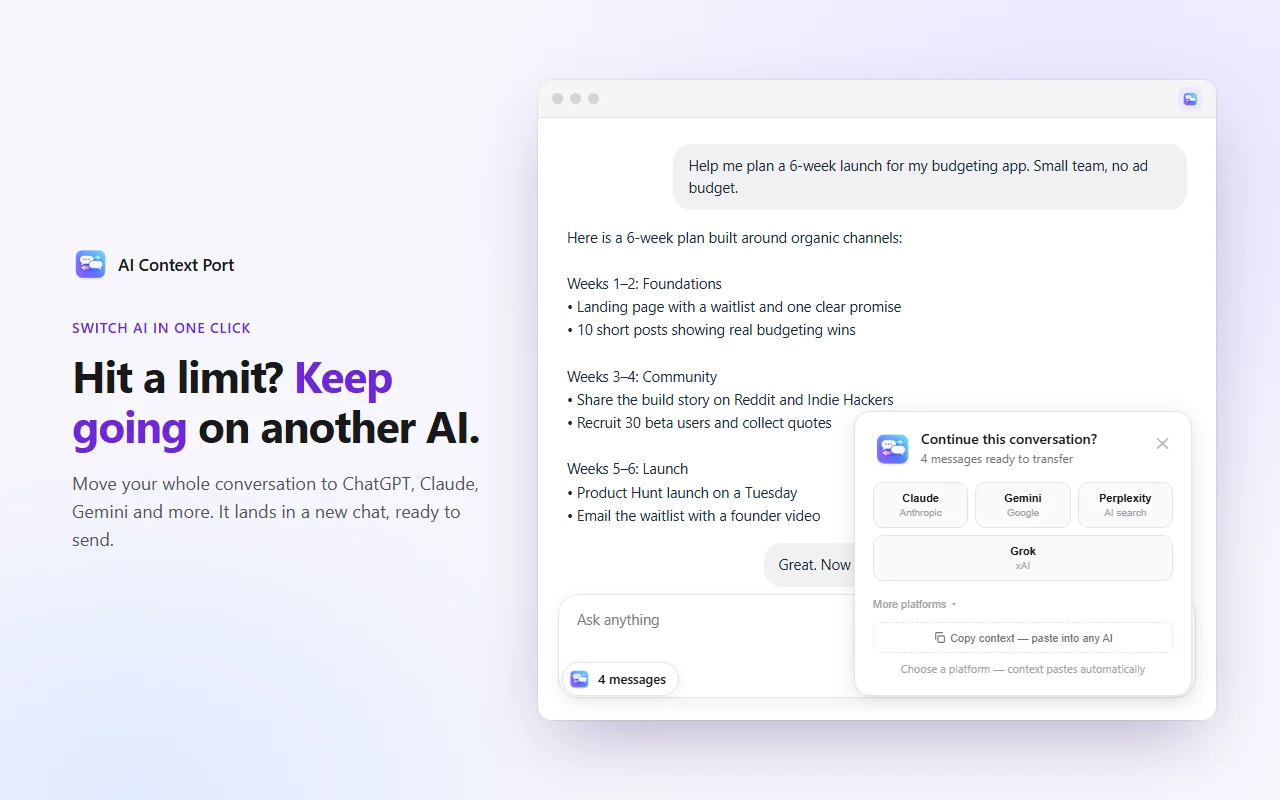
The moment you hit a usage limit, a transfer panel appears. Pick another assistant, or press Alt+Shift+T any time.
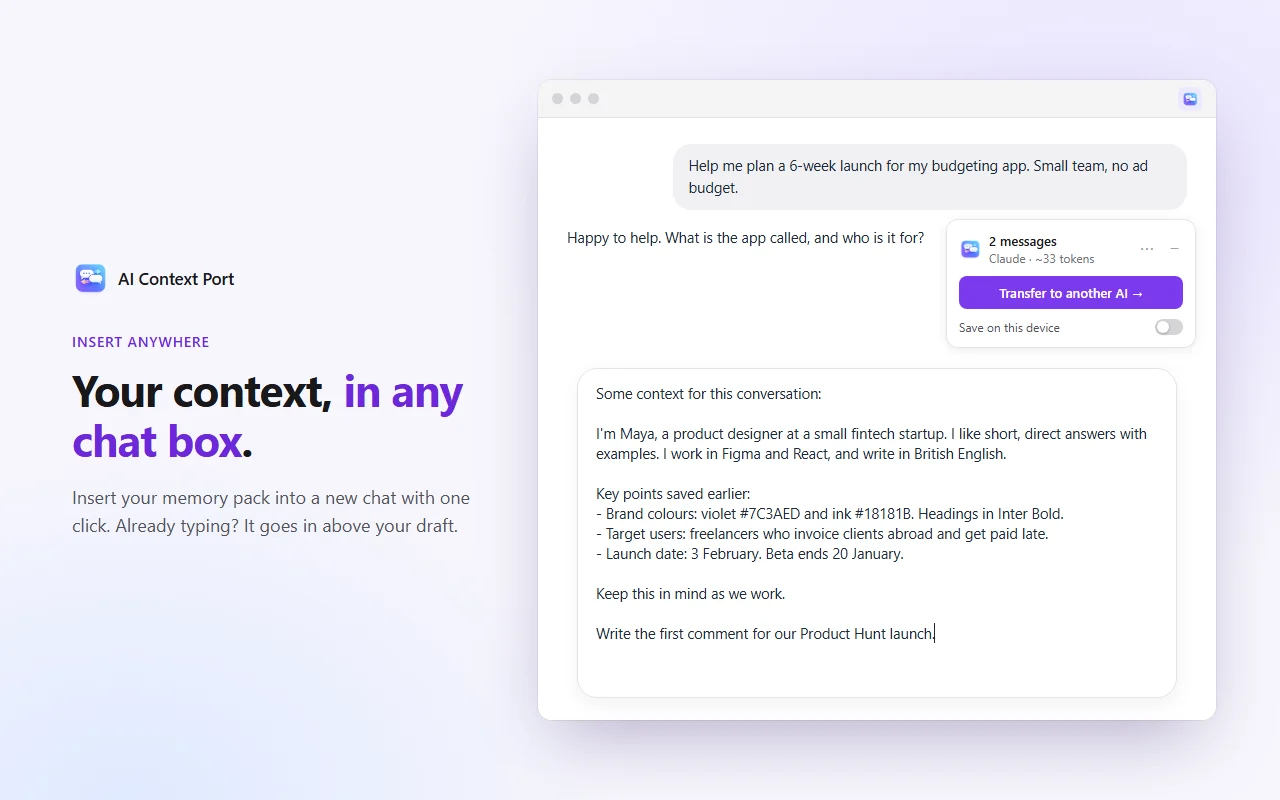
The new chat opens with your context already in the input box: key decisions, what's been tried and the latest messages.
More than a ChatGPT extension: one of the best AI Chrome extensions for anyone who switches between assistants. Move, remember and export AI conversations in a widget that stays out of your way.
Detects ChatGPT, Claude and Gemini usage limits and shows a one-click panel to continue on another AI.
Not a raw copy-paste: highlights key decisions, what's already been tried and the most important exchanges.
Open the new AI chatbot and your full context is already waiting in the input field.
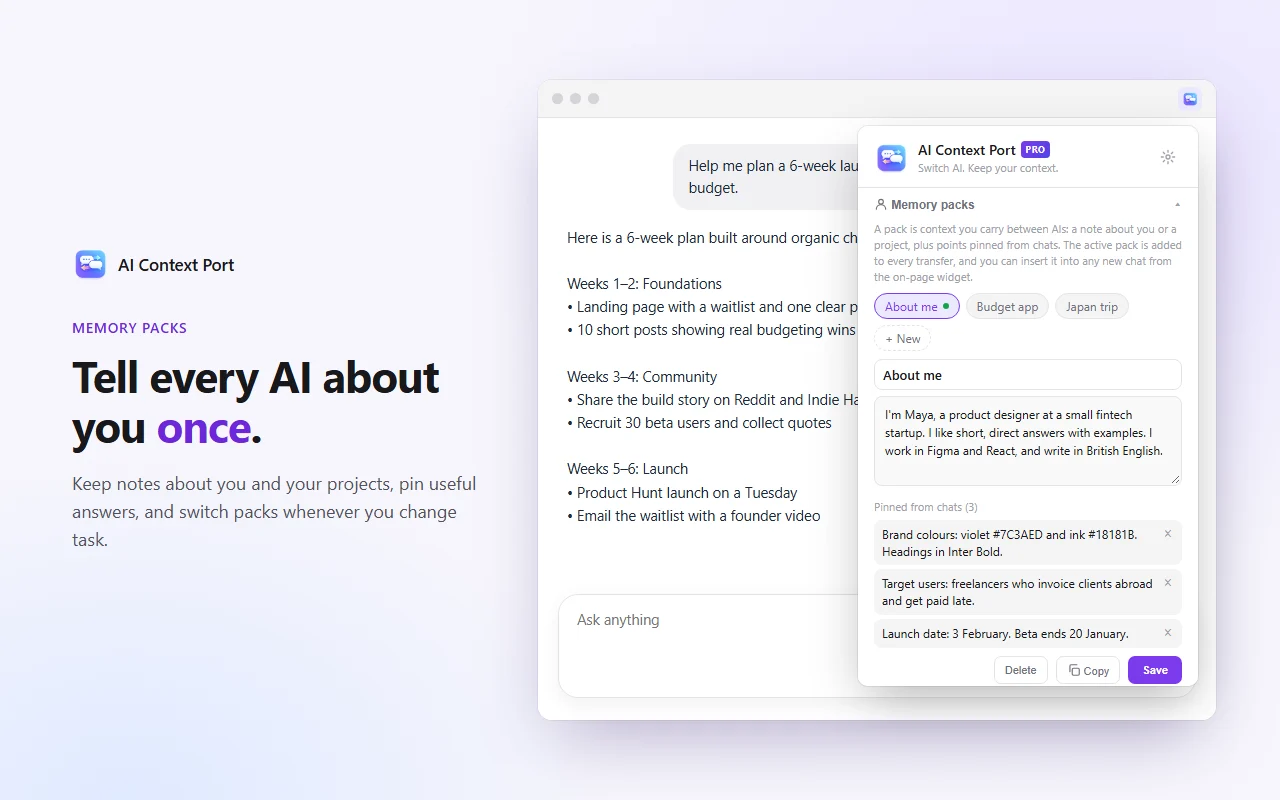
Like ChatGPT memory or Claude memory, but shared by every assistant: your profile, projects, stack and preferences, plus answers you pin from any chat.
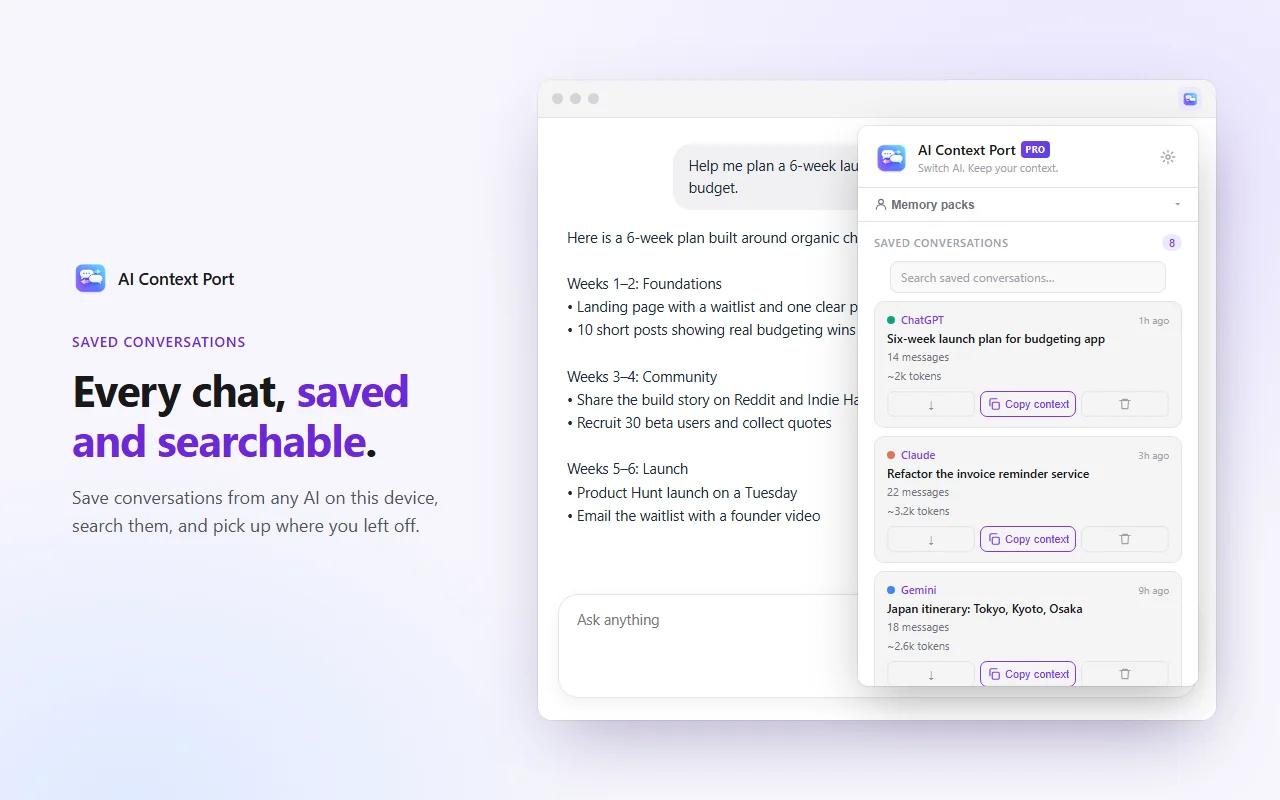
Bookmark any conversation locally and search your ChatGPT chat history, Claude and Gemini chats by title, model or content.
Export ChatGPT conversation threads (or Claude and Gemini ones) as text, or go from ChatGPT to Markdown and JSON for Obsidian, Notion and AI projects.
Switch AI whenever you like, not just at a limit, to compare responses or pick the best model for each task.
Review the summary, choose which messages go across and fine-tune what the new AI receives.
A ChatGPT token counter that also works on Claude and Gemini: see at a glance when a chat is outgrowing the context window.
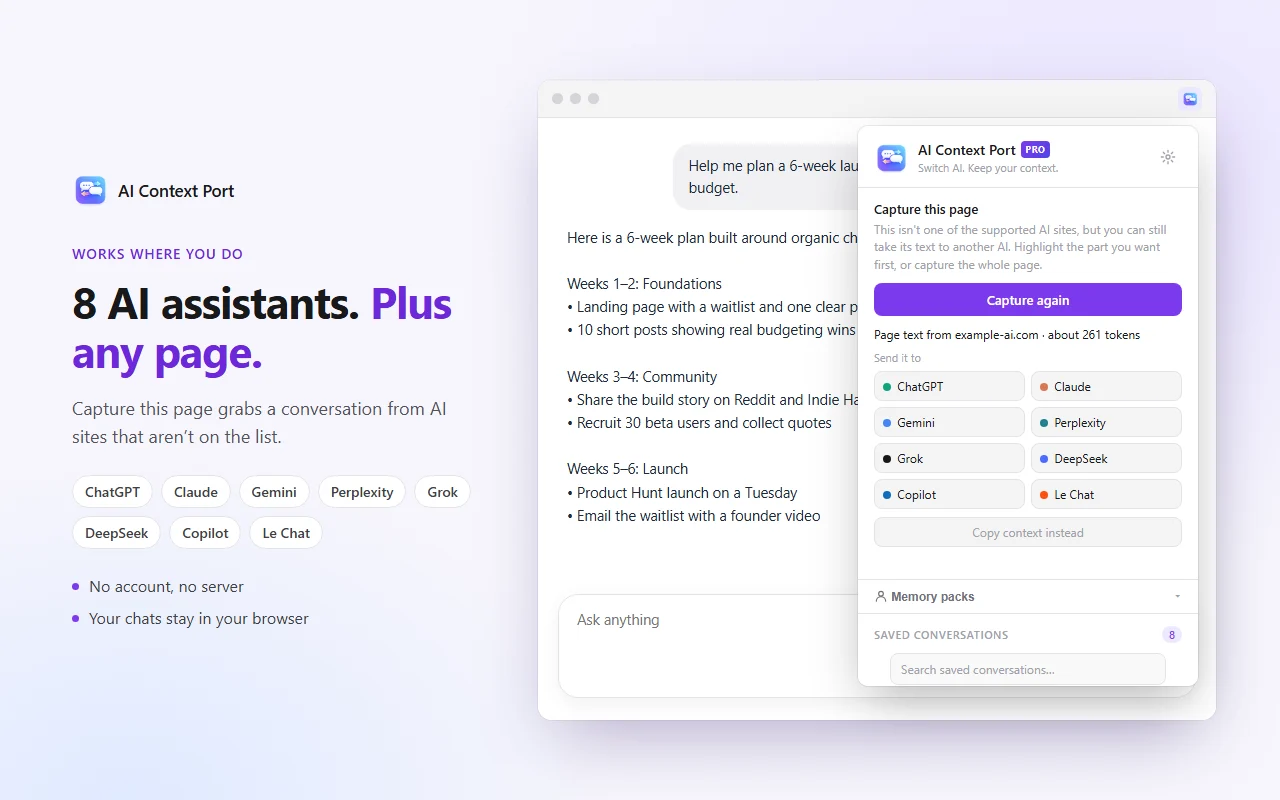
On an AI site that isn't supported yet, capture the page, or just what you highlight, and send it to any supported assistant.
Press Alt+Shift+T to open the transfer panel without reaching for the mouse.
A small draggable pill that matches each site's dark mode, can be minimised, and can be hidden on any site.
ChatGPT vs Gemini, Claude vs Gemini: every assistant has strengths. Instead of hunting for the best AI chatbot, use the right one for each step without losing your thread.
When your ChatGPT limit or Claude limit runs out, carry on in a ChatGPT alternative like Claude or Gemini now, not in a few hours.
Send the same context to ChatGPT, Gemini and Claude and keep the best answer. No retyping your prompt.
Brainstorm in one AI, then move the conversation to another for code, writing or research.
Your AI conversations are personal. AI Context Port keeps everything on your device, and nothing is sent to us.
No subscription is needed to keep your data private. That's just how it works.
More than enough to make it part of how you work.
Upgrade anytime from inside the extension.
AI Context Port notices the limit and shows a one-click panel. Pick another assistant, such as Claude, Gemini or Grok, and your conversation continues there with the full context already pasted in.
Open the AI Context Port panel on ChatGPT (or press Alt+Shift+T) and choose Claude. A new Claude chat opens with a smart summary of your conversation, your key decisions and the latest messages, ready to send.
Transfer the chat to ChatGPT, Gemini or another assistant in one click instead of waiting for your Claude usage limit to reset. When the limit resets, you can move it back the same way.
ChatGPT, Claude, Gemini, Grok, DeepSeek, Perplexity, Microsoft Copilot and Mistral Le Chat. On other AI sites, Capture this page lets you send a page (or highlighted text) to any of them.
Use the built-in AI chat exporter to download any conversation as plain text, or with Pro as Markdown or JSON for Obsidian, Notion and your own AI projects. It works on Claude and Gemini chats too.
Memory packs give every AI the same memory of you. Save who you are, your projects, your stack and your preferences once, pin useful answers from any chat, and insert a pack into any new conversation. Your active pack is added to the top of every transfer.
Yes. A live token counter shows an estimated token count on every supported page, so you can see when a long chat is getting close to the model's context window.
Yes. AI Context Port has no servers, no accounts and no tracking. Your conversations and memory packs are stored only in your browser. The only outside contact is licence checking with LemonSqueezy if you buy Pro.
Yes. The free plan includes 15 transfers per day and 10 saved conversations. Pro unlocks unlimited transfers and saves, unlimited memory packs, search across your whole archive, edit-before-transfer and Markdown and JSON export.
Yes, that's exactly what AI Context Port is. It adds a small panel to ChatGPT, Claude, Gemini, Grok, DeepSeek, Perplexity, Copilot and Le Chat in Chrome, so you can move a conversation between them in one click.
No. AI Context Port is an independent Chrome extension made by Nyoar. ChatGPT, Claude, Gemini and the other names are trademarks of their respective owners.
Stop starting over every time you hit a limit. Add AI Context Port to Chrome for free.
No accountNo serversWorks with 8 AI assistants